
ConnectUC Android: How to Check App Permissions
Locate the ConnectUC app on your phone, then press and hold the app icon.
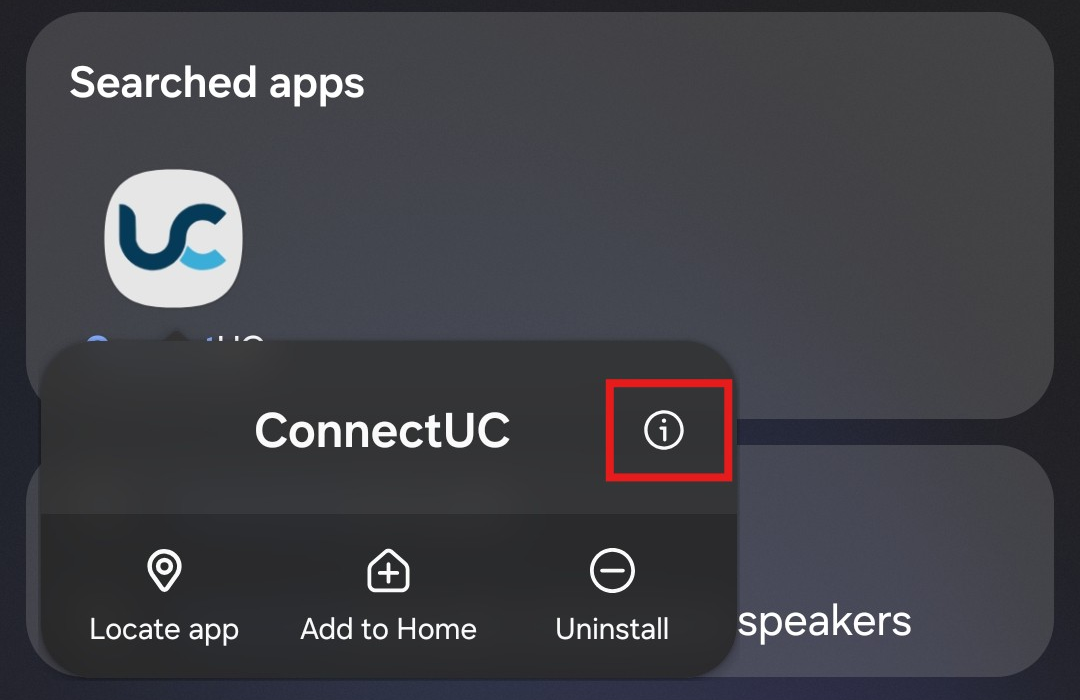
Tap the Info (ⓘ) icon.
Tap Permissions.
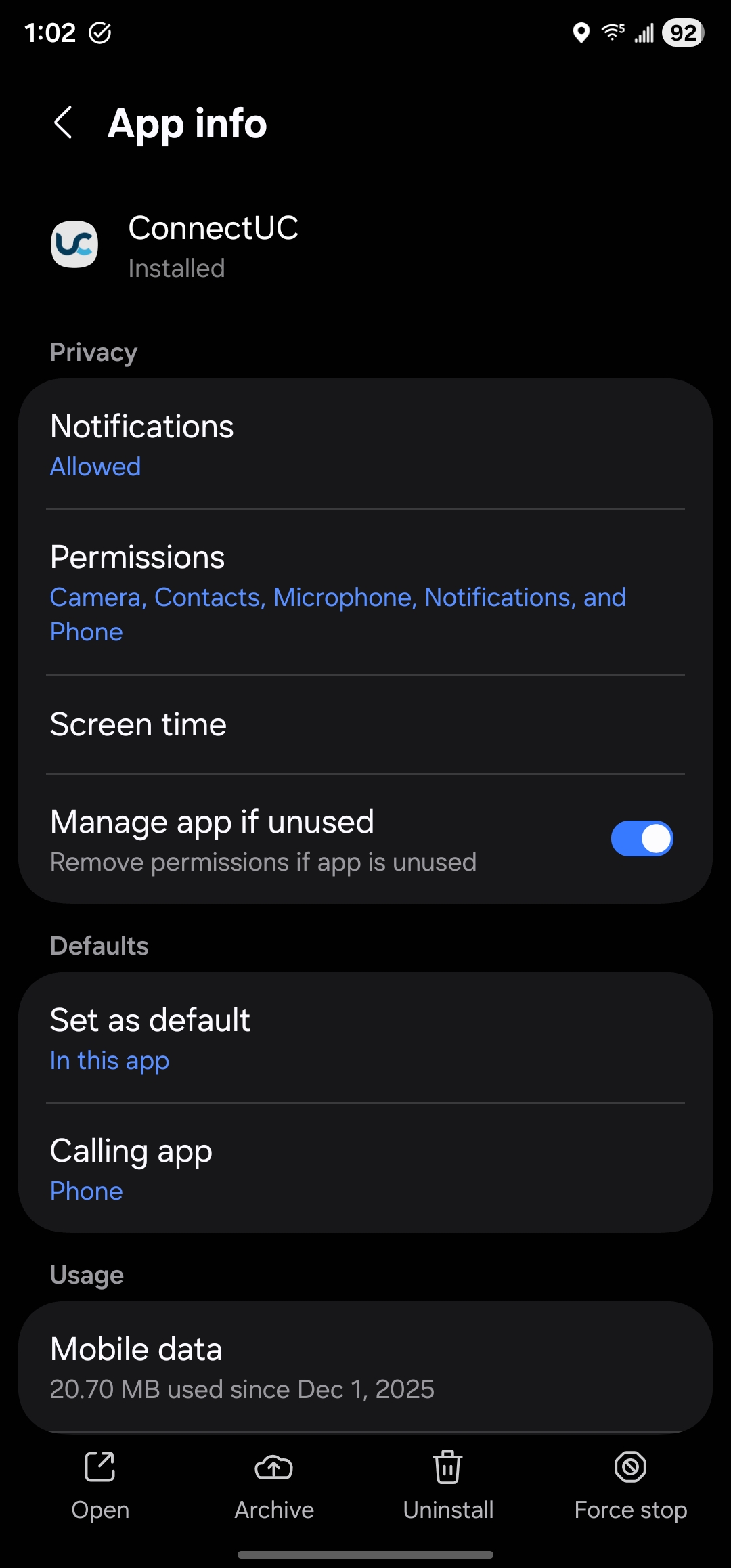
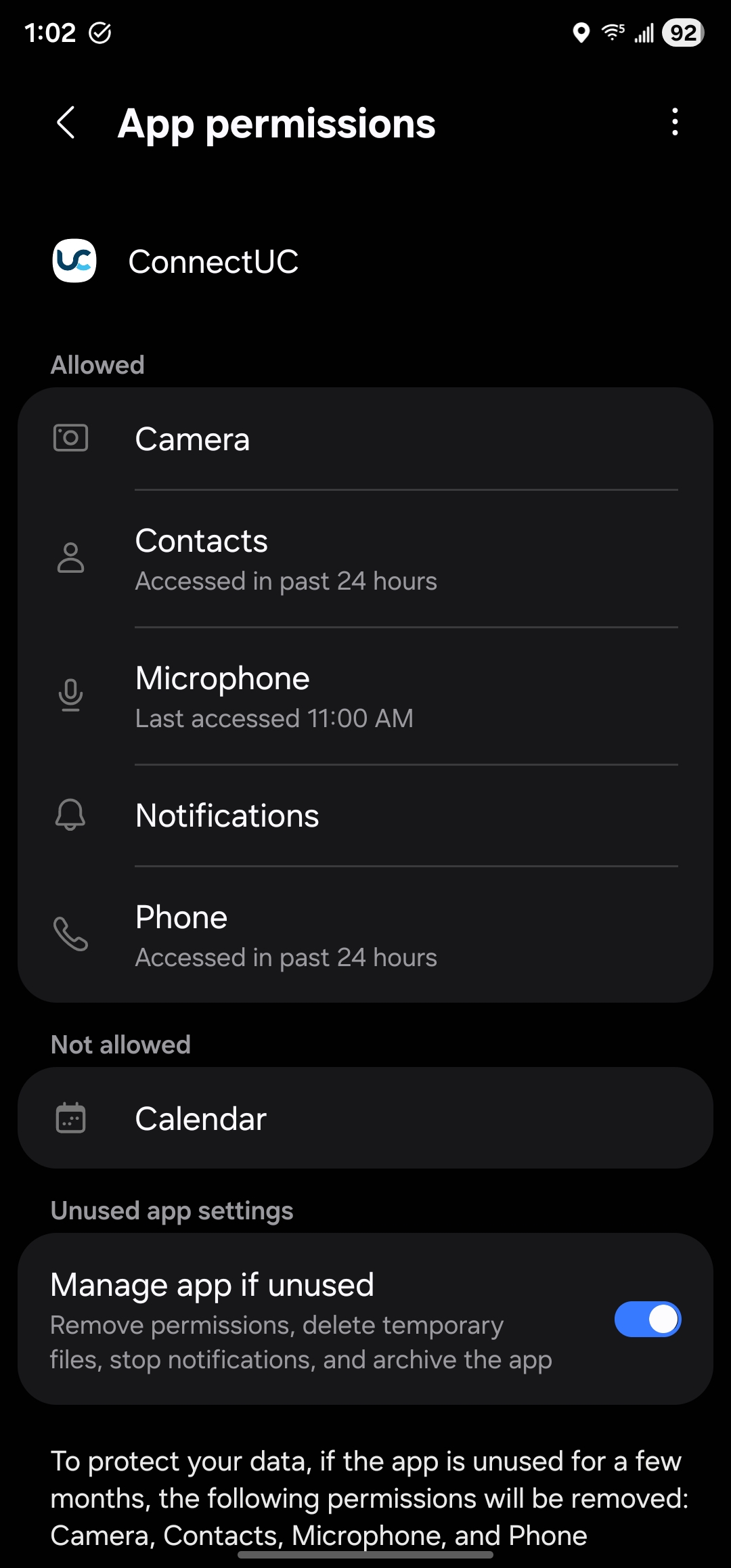
Verify that the following permissions are set to Allowed:
Camera
Contacts
Microphone
Notifications
Phone
Need Help?
If you're still having trouble after verifying your permissions, our support team is here to help.
📞 Call us at 985-900-8414
📧 Email: support@line.one
💬 Or submit a request through our support portal