
ConnectUC iOS: How to Check App Permissions
Open the Settings app on your iPhone, then scroll down and tap ConnectUC.
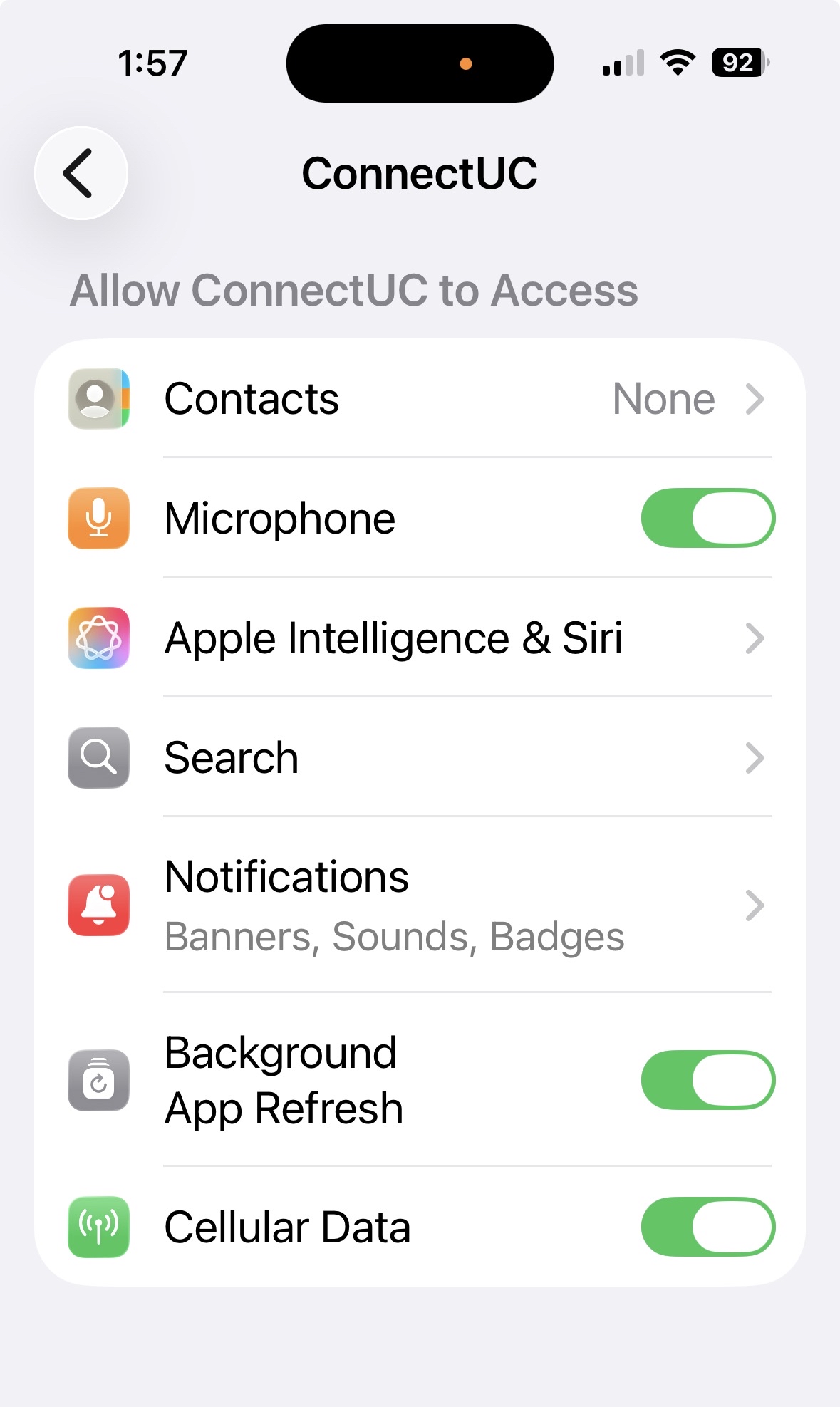
Verify that the following settings are enabled:
- Microphone
- Background App Refresh
- Cellular Data
Next, tap Notifications and confirm notifications are enabled.
.jpg)
Need Help?
If you're still having trouble after verifying your settings, our support team is here to help.
📞 Call us at 985-900-8414
📧 Email: support@line.one
💬 Or submit a request through our support portal