
Cell Phone Carrier SPAM Explanation/Resolution
Why Are My Calls Showing as "Spam" or "Spam Risk"?
Mobile carriers use third-party analytics companies to identify and flag potentially unwanted calls. These providers analyze calling patterns, volume, and user feedback — and sometimes flag legitimate business numbers by mistake, especially when call volume increases suddenly, numbers are newly activated, or calls frequently go unanswered.
How to Remove a Spam Label
Spam labels are managed by carriers and analytics providers, not by LineOne. To request removal, you'll need to submit your number directly to those providers. Here's how:
Start Here — Free Caller Registry (Recommended)
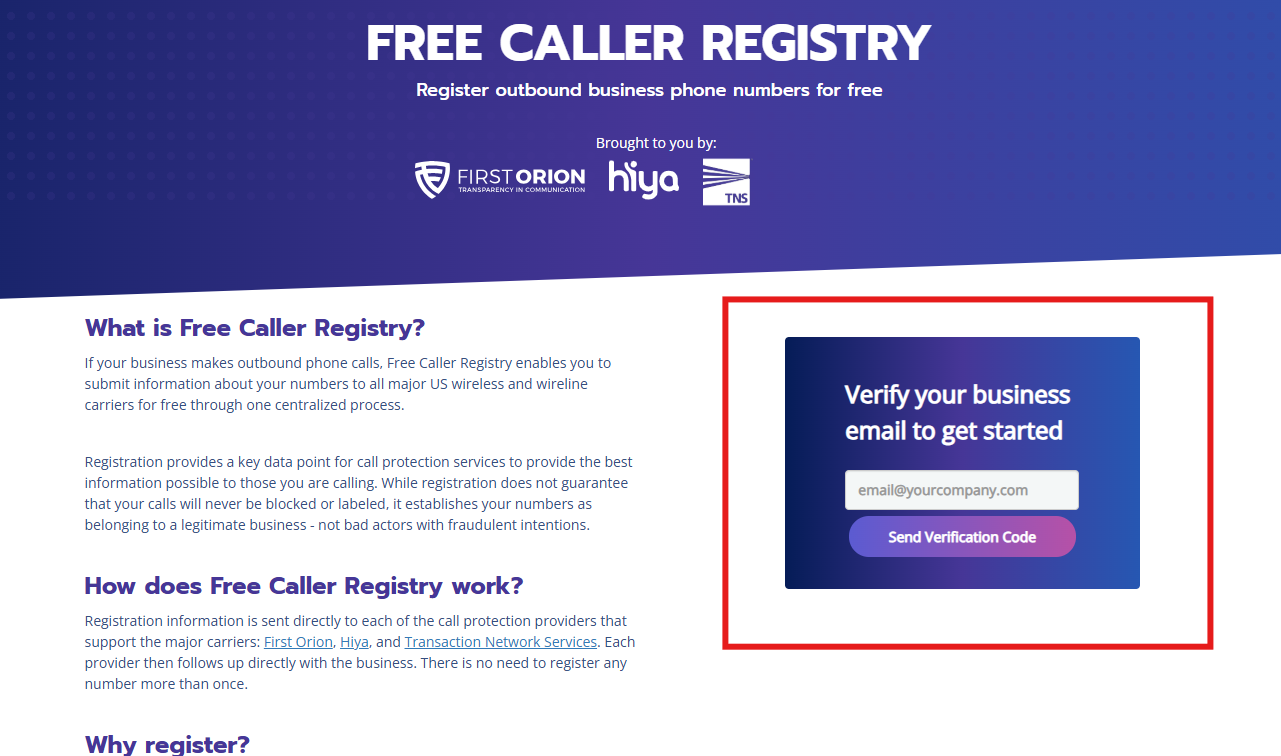
Register your number with the Free Caller Registry. This free portal submits your information to all three major call analytics providers — First Orion, Hiya, and TNS — in one step, making it the fastest way to resolve spam labeling across multiple carriers at once.
To get started, enter your business email address in the form on the right side of the page and click "Send Verification Code."
Still Showing as Spam? Submit Directly to Carriers
If the label persists after registering with Free Caller Registry, submit a request directly to the carrier or provider involved:
-
Free Caller Registry
https://www.freecallerregistry.com/fcr/ -
AT&T / Hiya
Submit Request -
Verizon
https://voicespamfeedback.com/vsf/ -
T-Mobile
https://callreporting.t-mobile.com/ -
US Cellular
Robocall Support Page -
Sprint
https://reportarobocall.com/trf/ -
NoMoRobo
https://www.nomorobo.com/contact
A Few Things to Keep in Mind
- Spam labeling is controlled by carriers and analytics providers — not by LineOne.
- Removal requests must be submitted by the business using the phone number.
- Review and removal can take anywhere from a few days to a few weeks.
- Consistent calling patterns and avoiding high-volume burst dialing can help prevent future labeling.